Cron jobs for every server, in one place
Install one small agent per server. Schedule commands, watch the output live and get told when something fails.
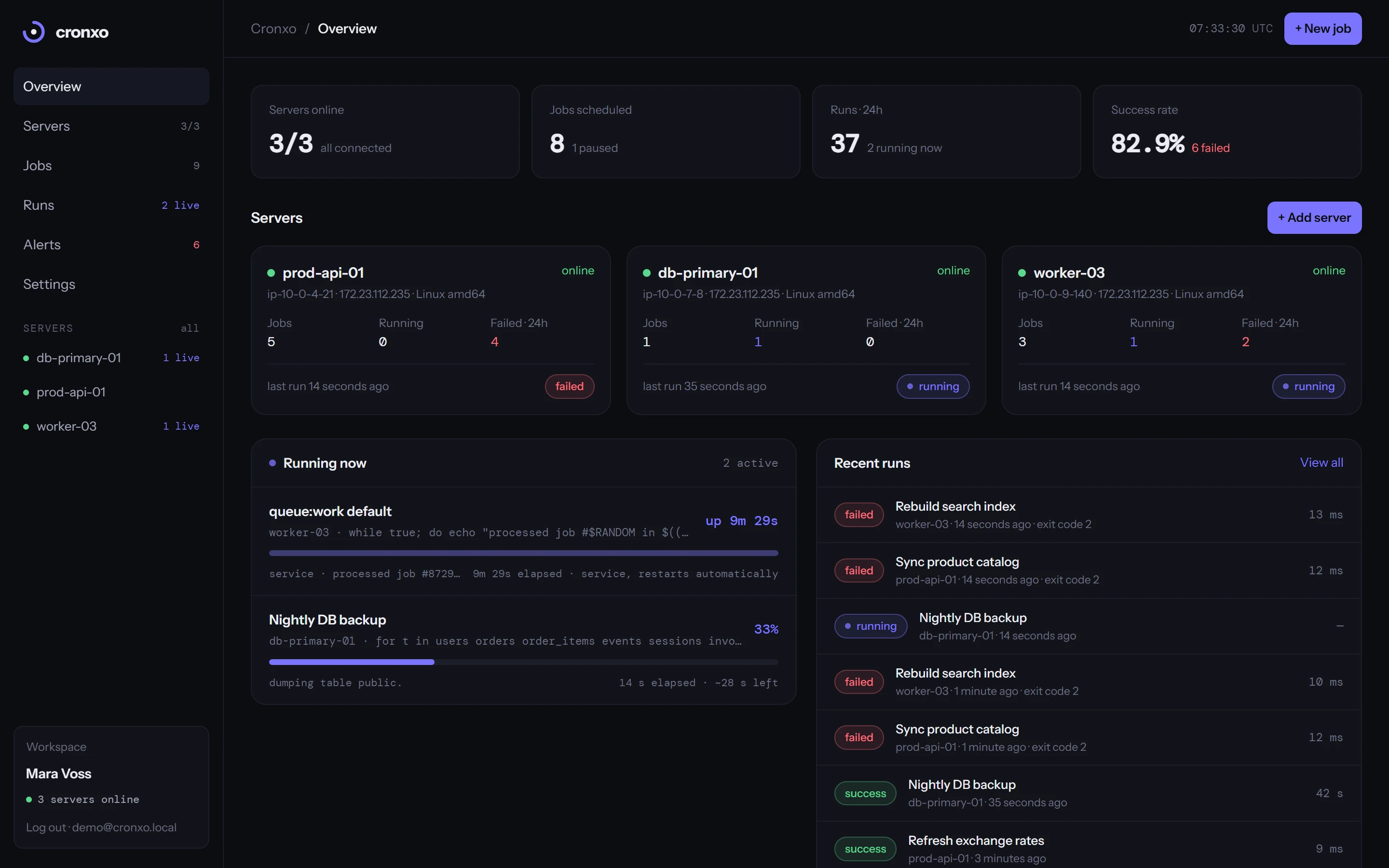
Three steps, no crontab
Name the server in the dashboard, run one command on it, schedule what it should do. Nothing to open in your firewall.
Give it a name and you get a token bound to that server plus the exact install command and Docker snippet.
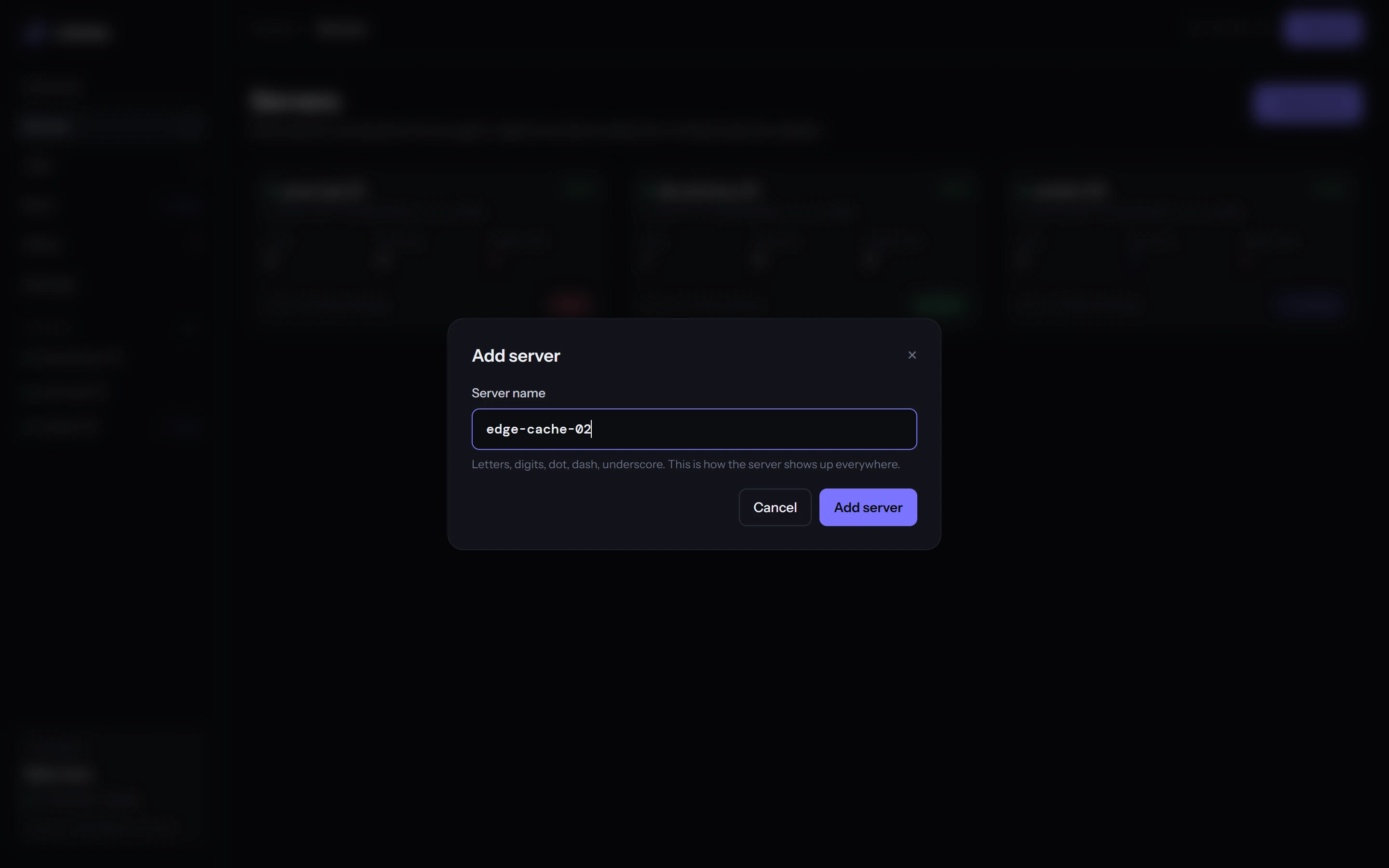
One static binary. Run the command as root, or add it to your Dockerfile in front of your app.
$ curl -fsSL https://cronxo.com/install.sh | sh -s -- --token cx_agent_a1b2c3d4
Pick a preset or type a cron expression. Try it, the next runs below come from the same code the dashboard uses.
Watch every run as it happens
Output streams into the dashboard while the job runs. Cronxo compares it with the previous run, so you see a percentage and how long is left.
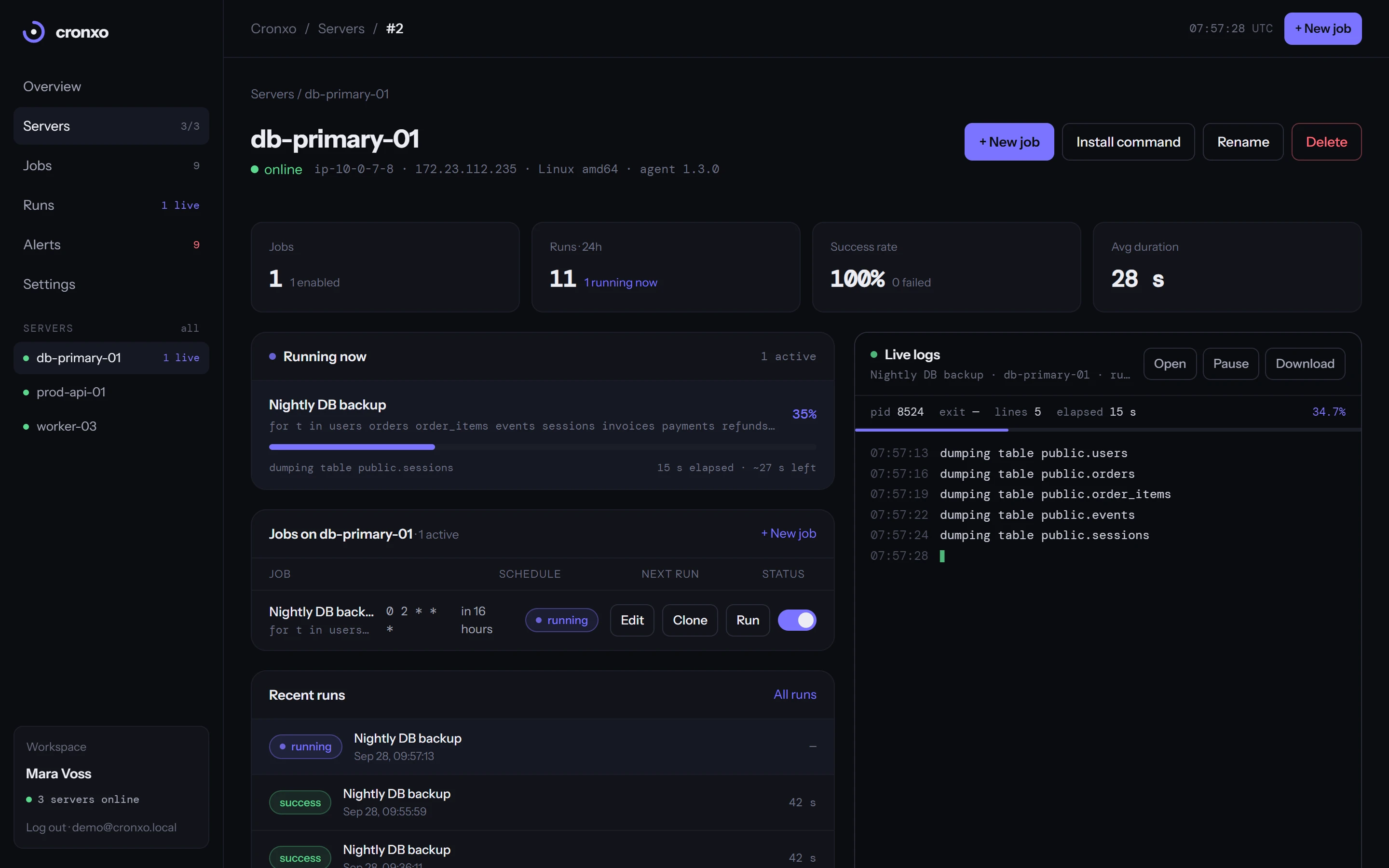
The estimate blends output volume with elapsed time from the last successful run, and flags runs that take longer than usual.
Its jobs, what is running right now, recent runs and the live log panel. Paused jobs stay out of the way.
Cancel kills the process tree. If an agent stops answering, close the run from the dashboard anyway.
Everything crontab never gave you
Shell one-liners, bash or python scripts, artisan and rake tasks. If it runs in a terminal it runs here.
Pick an interval or write the five-field expression. The next runs are shown before you save.
Output streams in line by line. From the second run on you get a percentage and a time-left estimate.
Email, webhook or Telegram when a job exits non-zero, times out or misses its slot.
Cap the runtime, retry after a delay, or mark a queue worker as a service that restarts itself.
Start one job when another finishes, or start any job with a plain HTTP request from CI or monitoring.
Trigger a job by hand and stop a stuck run with one click. The whole process tree is killed.
Authenticator codes plus single-use backup codes. Each server has its own token you can rotate.
Free. Unlimited servers, unlimited jobs.
No trial, no seat limits, no card. Create an account, add a server, schedule the first job in a few minutes.